

The ability to rewind a run is in active development. It is in preview for Multi-tenant Cloud and Dedicated Cloud, and not yet available in Self-Managed.Because of known performance limitations with rewind, W&B typically recommends forking as an alternative.
Prerequisites
Before you rewind a run, ensure you meet the following prerequisites:- To rewind a run, you must have the W&B Python SDK version
>=0.17.1. - You must use monotonically increasing steps. Rewind doesn’t work with non-monotonic steps defined with
define_metric()because non-monotonic steps disrupt the required chronological order of run history and system metrics.
Limitations
Rewind doesn’t support the following:- Log rewind: W&B resets logs in the new run segment.
- System metrics rewind: W&B logs only new system metrics after the rewind point.
- Artifact association: W&B associates artifacts with the source run that produced them.
- History truncation: W&B truncates the history to the rewind point, which allows new data logging.
- Summary metrics: W&B recomputes summary metrics based on the newly logged history.
- Configuration preservation: W&B preserves the original configurations, and you can merge new configurations.
Rewind and forking compatibility
Forking complements a rewind. When you fork from a run, W&B creates a new branch off a run at a specific point so you can try different parameters or models. When you rewind a run, you can correct or modify the run history itself.Rewind a run
To rewind a run from a specific step and log new data from that point, pass the run ID and step to theresume_from parameter in wandb.init(). The resume_from parameter accepts a string in the format [RUN-ID]?_step=[STEP], where [RUN-ID] is the ID of the run you want to rewind and [STEP] is the step to rewind from.
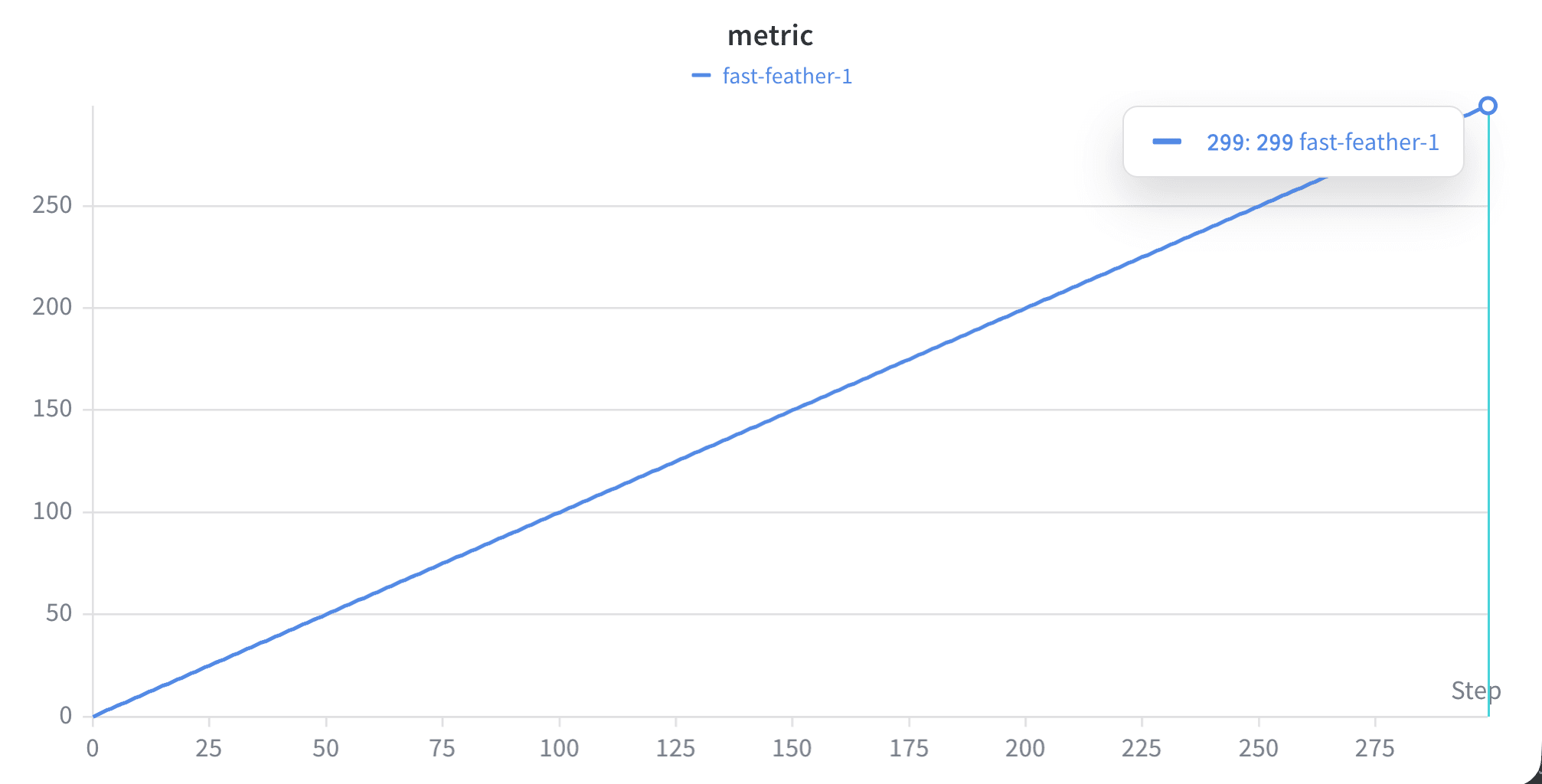
The following example demonstrates the rewind workflow. Suppose you log a linear line for 300 steps:
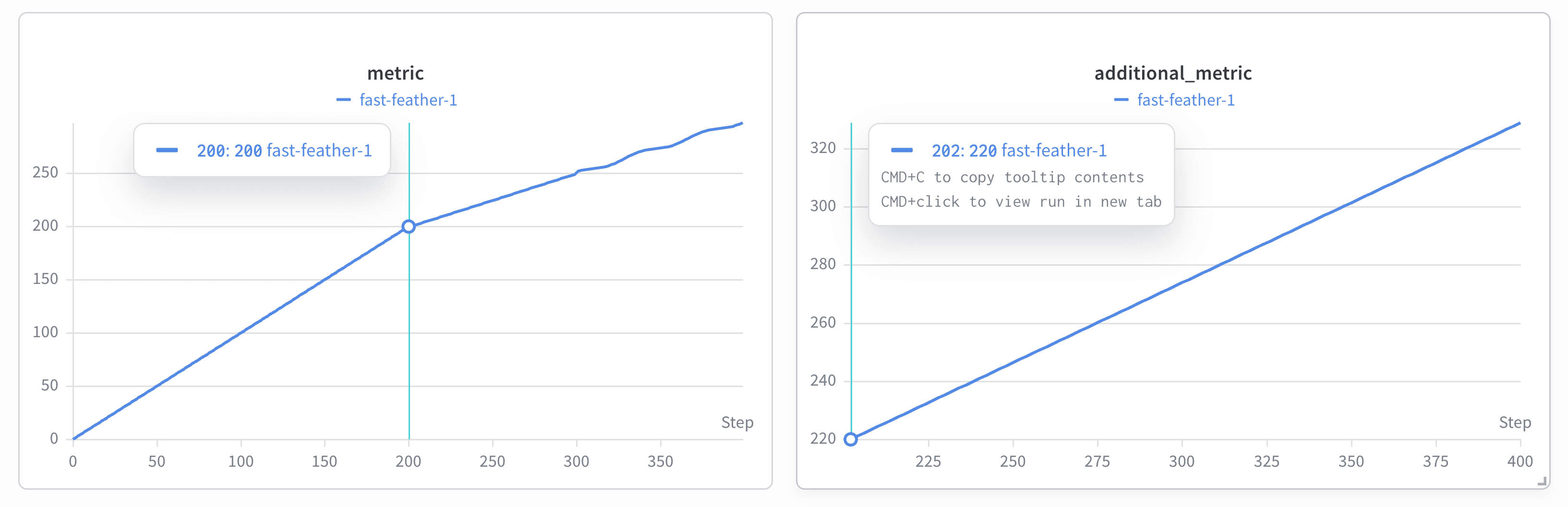
additional_metric that logs i*1.1 from step 200 to step 300. From step 250, you want to log a subtle wavy pattern (i**2 + 2*sin(i/3)) instead of a linear line:
- The line plot shows the original linear line from step 0 to step 200, and the subtle wavy pattern starts from step 250.
- W&B creates a plot labeled
additional_metricthat starts from step 200.
View an archived run
After you rewind a run, W&B preserves the original run as an archived resumption that you can revisit at any time. Viewing the archived run lets you compare pre-rewind history with the current state and trace the sequence of rewinds applied to a run. To view an archived run in the W&B App:- Navigate to the Overview tab on the run’s page. This tab provides a view of the run’s details and history.
- In the Overview tab, find the Forked From field. This field captures the history of the resumptions. The Forked From field includes a link to the source run, so you can trace back to the original run and review the entire rewind history.
Fork from a run that you rewind
After you rewind a run, you can branch off the corrected history to explore alternate trajectories without modifying the rewound run itself. This is useful when you want to test alternate parameters or models from a known-good point in the corrected history. To fork from a rewound run, use thefork_from argument in wandb.init() and specify the source run ID and the step to fork from: